
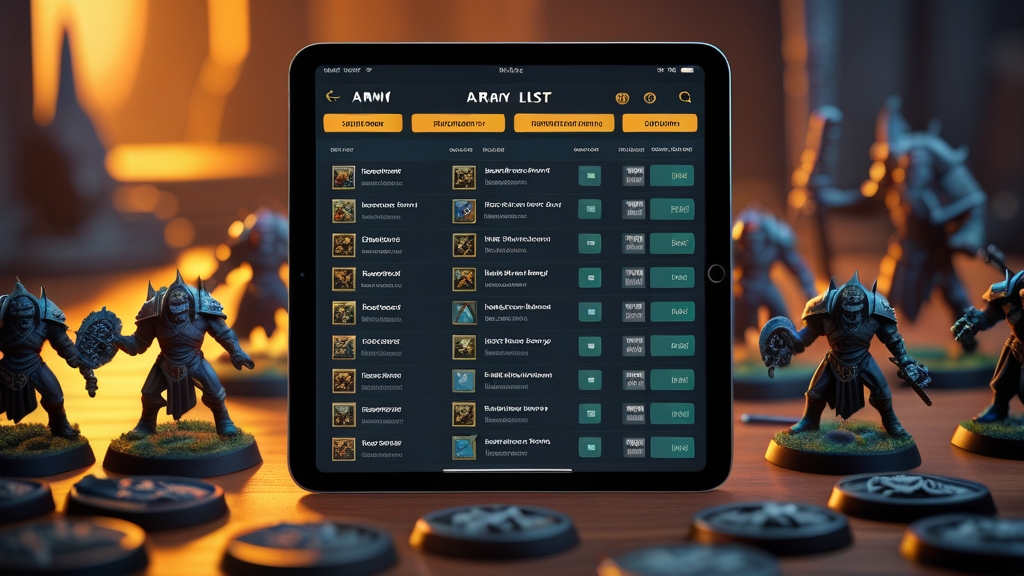
The best Age of Sigmar army builder tools are the official Warhammer Age of Sigmar app and the free community builder New Recruit, backed up by companion tools such as AoS Reminders. Each one tracks points and flags illegal choices, but they differ in cost, how quickly they update and how much detail they give you.
A good army builder takes the arithmetic and rules-checking out of list writing. That matters more than ever in Age of Sigmar 4th Edition, because army construction is built around regiments, auxiliary units and lores rather than the old Battleline minimums, and it’s easy to get wrong on paper.
This guide covers the main options, what each does well, where it falls short, and which suits beginners building a first 1,000-point list or tournament players tuning 2,000 points.
What Is the Official Warhammer Age of Sigmar App?
The official Warhammer Age of Sigmar app is Games Workshop’s own tool for building army lists and reading warscrolls. It’s available on iOS and Android and is the most authoritative digital source for unit rules, points values and army construction. If the app and an older printed source disagree, the app is usually the more up-to-date reference.
The list builder walks you through army construction step by step. You pick your faction and its army options, organise your units into regiments under their Heroes, choose enhancements and lores, and the app tracks your points and flags construction errors as you go. Warscrolls are available for each unit as you add it, which helps new players learn their army.
Its strengths are authority (it carries the current rules and points), integration with Games Workshop’s ecosystem and ease of use. It has drawn criticism over the years for load times and bugs, and some content sits behind a subscription. Check what’s included for free before you sign up, as the split between free and paid features has changed over time.
What Happened to the Warscroll Builder?
The Warscroll Builder was a free web tool hosted by Games Workshop that many players used in earlier editions. It is no longer available, so ignore older guides and forum posts that recommend it. For a free option today, use New Recruit or the free points in Games Workshop’s Battle Profiles document (see the FAQ below).
What Community Tools Are Available?
The Age of Sigmar community maintains several tools that complement the official app:
Battlescribe / New Recruit: Battlescribe was long the most popular third-party army builder for Games Workshop games. The original Battlescribe app is no longer actively developed, and New Recruit has taken over as the main community builder. It uses community-maintained data files, which are often updated soon after official points changes, and it’s free to use in a web browser.
AoS Reminders: Not a list builder as such, but a companion tool. You enter your army and it produces a reminder sheet organised by phase, listing every ability, spell and prayer your army can use. It’s useful for new players who forget abilities and for experienced players who don’t want to miss a synergy.
Damage calculators: Community “mathhammer” calculators compare the average damage of different units against different targets. They aren’t list builders, but knowing roughly how much damage a unit does helps you decide whether it’s worth its points.
Discord bots: Some Age of Sigmar Discord servers have bots that look up warscrolls or points through text commands. They’re handy for discussing lists with other players in real time.
How Do I Build a Legal Age of Sigmar Army List?
Know the army construction rules before you rely on any tool. Under the current 4th Edition matched play rules:
Points limit: Matched play battleplans are designed for 1,000- or 2,000-point games. Each unit has a points cost and your army must fit the limit you’ve agreed. The how to play guide covers the basics of the game.
Faction: Your army is drawn from a single faction (for example Stormcast Eternals, Orruk Warclans or Maggotkin of Nurgle), using that faction’s army options and rules.
Regiments: Your army is organised into regiments. Each regiment is one Hero plus up to 3 non-Hero units, and you need at least 1 and at most 5 regiments. Your general’s regiment can include up to 4 non-Hero units. Each Hero’s warscroll sets which units it can take in its regiment.
Auxiliary units: You can take units outside regiments as auxiliaries, but each one after the first costs extra points, and the player with fewer auxiliary units gets a bonus command point each round.
Reinforced units: A reinforced unit has twice its minimum size and costs twice the points.
Enhancements and lores: You pick one enhancement from each of your faction’s enhancement tables, plus one spell lore, one prayer lore and one manifestation lore.
Regiments of Renown: Some armies can include a Regiment of Renown, a pre-set group of units from another faction. Check the current Battle Profiles for which ones your army can take.
There is no Battleline minimum in 4th Edition, so you don’t have to fill compulsory troop slots. Exact rules and costs are updated regularly, so check the current General’s Handbook and Battle Profiles. A good builder will apply these rules for you.
What Are the Best Tips for Building Army Lists?
Whichever tool you use, these tips will help you build more effective lists:
Start with a plan: Before adding units, decide on your army’s main strategy. Is it a melee rush, a shooting gunline, a magic-heavy force or a fast objective-grabbing army? A clear plan stops you building a list that does a bit of everything and nothing well.
Build around your Heroes: Because regiments are led by Heroes, your choice of Heroes decides which units you can take together. Pick Heroes whose regiment options and abilities suit your plan, then fill their regiments.
Include at least one hammer unit: Every list needs a unit that can deal serious damage and break through enemy lines or remove key targets. Without a credible threat, your opponent can ignore you and play the objectives.
Don’t forget objective play: Most games are won by controlling objectives, and control is worked out from the Control characteristic of your models, not just how many you have. Include fast or durable units that can take and hold objectives.
Check the best Warhammer apps guide for more tools that fit alongside your army builder.
Which Army Builder Should Beginners Use?
For complete beginners, start with the official Warhammer Age of Sigmar app. Despite its flaws, it gives the most guided experience: it stops you making illegal choices, and the warscroll viewer lets you learn each unit as you add it. If you’d rather not pay, New Recruit is the best free alternative.
Once you’re comfortable with the basics, add AoS Reminders so you remember to use all your army’s abilities during games. Many new players underperform simply because they forget abilities.
For tournament preparation, New Recruit combined with a damage calculator gives you the most detailed list-building and analysis toolkit. Always cross-check the final list against the official points before you submit it.
Frequently Asked Questions
Are army builder tools always up to date?
The official app is usually updated soon after points changes or rules updates. Community tools like New Recruit rely on volunteer data maintainers and may take a few days to a week to catch up. Check when a tool was last updated, especially before a tournament.
Can I use army builder tools during a game?
Yes, most tournaments and casual games allow players to reference their army list on a phone or tablet during play. However, you should also have a printed copy of your list available for your opponent to review. Tournament organisers may have specific requirements about list format.
Do I need an army builder to play?
Technically no. You can build a legal list with pen, paper and a copy of the points values. However, army builder tools prevent maths errors, catch illegal choices and save a lot of time, and free options like New Recruit exist, so there’s little reason not to use one.
Can army builders help me choose which models to buy?
Absolutely. One of the best uses of an army builder is planning future purchases. Build the army you want to play at 2,000 points, then work backwards to identify which purchases will get you there most efficiently. This prevents the common beginner mistake of buying models that do not fit into a coherent army list.
What happened to the old Azyr app?
The Azyr app was the previous official Games Workshop army builder for Age of Sigmar. It has been replaced by the current Warhammer Age of Sigmar app, which carries the current rules and points. Lists created in Azyr can’t be imported into the new app.
Is there an army builder for Warhammer: The Old World?
Yes. Old World Builder is a free community web app built specifically for The Old World, and New Recruit also supports it alongside Age of Sigmar and 40k. Both track points, unit options and magic items and flag illegal selections. As with any community tool, double-check against the latest official errata and FAQs before a tournament.
Is there a free Age of Sigmar points calculator?
Yes. Games Workshop publishes points for every Age of Sigmar unit free in the Battle Profiles document on Warhammer Community, and community builders such as New Recruit total those points for you at no cost. The official Warhammer Age of Sigmar app also calculates points as you build. Battle Profiles are updated regularly, so make sure your tool uses the latest version.