
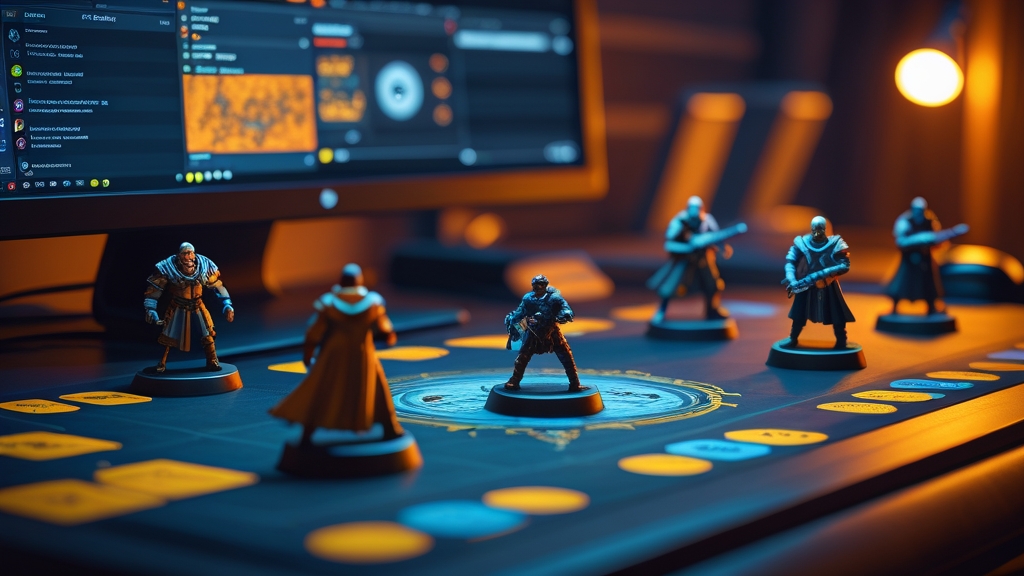
Warhammer 40k on Tabletop Simulator (TTS) lets you play full games of 40k digitally using virtual miniatures on a simulated tabletop. TTS is available on Steam for around £15, and the Warhammer 40k mods are free from the Steam Workshop. It is the most popular way to play 40k online and an invaluable tool for testing army lists before buying physical models.
Tabletop Simulator is not a dedicated Warhammer game — it is a general-purpose digital sandbox that simulates a physical tabletop. You can pick up and move objects, roll dice, draw cards, and measure distances, just as you would on a real table. The Warhammer 40k experience comes from community-created mods that provide 3D models of every unit, pre-built terrain setups, and automated tools for tracking wounds, command points, and turn order. The result is a remarkably faithful recreation of the physical tabletop experience, complete with the tactile satisfaction of picking up and placing models — something that dedicated digital wargames often lack.
What Do You Need to Play Warhammer 40k on TTS?
The requirements are straightforward. You need a PC or Mac capable of running Tabletop Simulator (the system requirements are modest — most machines from the last 8-10 years will handle it comfortably), a Steam account, and a copy of Tabletop Simulator itself. The game regularly goes on sale during Steam sales for 50% off, bringing the price down to around £7-8 — one of the best value purchases in the hobby.
Once you have TTS installed, you need to subscribe to the appropriate mods from the Steam Workshop. No additional purchases are required — all Warhammer 40k mods are free, created and maintained by the community. The essential mods include model packs for each faction (these provide 3D representations of every unit in the game), terrain packs (buildings, ruins, hills, forests, and other scenery), and gaming tools (dice rollers, wound trackers, command point counters, and measurement tools).
You also need a way to reference your army’s rules. Most TTS players use Wahapedia (a free online rules reference) or their physical codex alongside the game. TTS itself does not include any Games Workshop rules — it provides only the virtual tabletop and models.
How to Find Warhammer 40k Mods on Steam Workshop
The Steam Workshop is where all TTS mods are hosted. To find Warhammer 40k content, open TTS, navigate to the Workshop browser, and search for “Warhammer 40k” or the specific faction you need. The most popular mod collections include:
Model packs: Search for your faction name (e.g., “Space Marines TTS” or “Necrons TTS”). The best model packs include scripted features — automated wound tracking, aura indicators, and pre-loaded unit profiles. Look for recently updated mods with high subscriber counts, as these are most likely to include current-edition models and features.
Terrain packs: Search for “40k terrain” or “GW terrain TTS.” Several comprehensive terrain collections replicate Games Workshop’s official terrain kits in digital form, including Sector Mechanicus, Sector Imperialis, and various Kill Team boards. Pre-built table setups save significant time — subscribe to a few and you can be playing within minutes of loading TTS.
Gaming tools: The most essential tool is a measurement widget that replicates a tape measure on the virtual tabletop. Dice rollers that colour-code hits, wounds, and saves are also invaluable. Some mods include turn trackers, stratagem reference cards, and objective markers with built-in scoring.
Complete game setups: Some Workshop items provide an entire pre-configured game table with terrain, objectives, deployment zones, and tools already in place. These “plug and play” setups are ideal for beginners, as they eliminate the setup time and let you focus on learning the controls.
Setting Up Your First TTS Game
Your first game on TTS will involve a learning curve, but the basics are intuitive. Here is a step-by-step setup process:
Step 1: Create a room. Launch TTS and create a new multiplayer room (or join an existing one). Set the player count to 2 and choose a table size — the largest table option works best for standard 40k games.
Step 2: Load terrain. From the Saved Objects menu, load a terrain setup. If you have subscribed to a pre-built table, you can load the entire setup in one click. Otherwise, place individual terrain pieces to create a balanced battlefield with 6-8 pieces of terrain.
Step 3: Load your army. From the Saved Objects menu, load the models for each unit in your army list. Place them in your deployment zone. Most model packs allow you to right-click and set unit sizes, weapon options, and other configurations. Take time to label your units if the mod supports it — this prevents confusion during play.
Step 4: Configure tools. Place dice, measurement tools, and any other gaming aids on the table. Most experienced TTS players use a scripted dice roller that automatically calculates hits and wounds based on target numbers you input. Set up wound trackers for each unit and place objective markers as required by your mission.
Step 5: Play. The game proceeds identically to a physical game. You take turns, measure movement distances, declare charges, and roll dice. The main difference is that you move models by clicking and dragging rather than physically picking them up. Most players find the controls intuitive after 2-3 games.
Where to Find Opponents on TTS
Finding opponents is one of TTS’s great strengths. Several active communities exist specifically for TTS Warhammer:
TTS 40k Discord servers: The largest TTS Warhammer community is the “TTS 40k” Discord server, which has thousands of active members looking for games at all hours. Simply post in the looking-for-game channel with your army size, time zone, and experience level, and opponents will respond. Most players can find a game within 15-30 minutes. Other notable Discord servers include the Tabletop Simulator official Discord and various faction-specific servers.
Reddit communities: r/TTSWarhammer40k and r/WarhammerCompetitive both have players looking for TTS games. Reddit is better for scheduling games in advance rather than finding immediate opponents.
TTS public lobbies: You can browse public TTS game rooms from the main menu. Filter by “Warhammer” or “40k” to find open games. This method is less reliable than Discord but can yield games during peak hours.
Organised events: Several communities run TTS tournaments, leagues, and campaign events. These provide structured competitive play with matchmaking, round timers, and rankings. TTS tournaments have become increasingly popular since 2020 and are now a respected part of the competitive 40k scene.
Essential TTS Controls for Warhammer
Mastering these controls will make your TTS games run smoothly:
Pick up and move: Left-click and hold to pick up a model, then release to place it. Hold the mouse button and scroll the mouse wheel to raise or lower the object. This is essential for placing models on upper floors of ruins or on top of terrain features.
Rotate: While holding an object, press Q or E to rotate it. This is useful for facing models in specific directions, which matters for certain rules interactions.
Measure: Right-click the table and select “Ruler” to place a measurement tool. Click to set the start point and drag to measure distances. Some mods include dedicated measurement tools with inch and centimetre markings.
Roll dice: Pick up dice and press R to roll them, or use a scripted dice roller that lets you input the number of dice and target number for automatic results.
Clone and delete: Press Ctrl+C to clone a selected object and Delete to remove it. This is useful for adding or removing casualty models and placing additional tokens or markers.
Save and load: You can save the current game state at any time, allowing you to pause a game and resume it later. This is a major advantage over physical play, where leaving a game set up overnight is not always practical.
Pros and Cons of TTS vs Physical Warhammer
Advantages of TTS:
Cost — TTS eliminates the cost of models, paint, terrain, and play mats. The only expense is the software itself. This makes it possible to play any army in the game without investing hundreds of pounds in models, which is invaluable for testing army lists before committing to purchases.
Convenience — You can play from home at any time. Finding opponents is easier than at most local game stores, especially during off-peak hours or for players in remote areas. Games can be saved and resumed, and there is no setup or cleanup time beyond loading mods.
Army variety — You can play every faction in the game without owning a single model. Want to try Custodes one day and Tyranids the next? Simply load different model packs. This freedom to experiment is TTS’s greatest advantage for players exploring the hobby.
Accessibility — TTS makes Warhammer accessible to players who cannot attend physical game stores due to disability, location, or schedule constraints. It has opened the hobby to thousands of players who would otherwise be unable to play.
Disadvantages of TTS:
No physical satisfaction — There is no substitute for the tactile pleasure of handling painted miniatures. The hobby aspect — building, painting, and displaying models — is entirely absent from TTS. For many players, the hobby is as important as the game itself, and TTS cannot replicate this.
Learning curve — TTS’s controls take time to learn, and the first few games can feel clunky. Accidental model placement, difficulty measuring precise distances, and unfamiliarity with the interface can slow games significantly until you develop proficiency.
Social limitations — While TTS supports voice chat, the social experience of playing across a physical table from another person is difficult to replicate digitally. The body language, banter, and camaraderie of in-person play are diminished online.
Visual fidelity — While TTS models have improved enormously, they do not match the visual impact of well-painted physical miniatures on quality terrain. The aesthetic experience of a physical game is superior to its digital counterpart.
TTS Tips for Better Games
Use voice chat. Text communication slows games dramatically and removes the social element that makes Warhammer enjoyable. Discord voice chat alongside TTS is the standard setup.
Learn keyboard shortcuts. The difference between a 3-hour TTS game and a 1.5-hour game is often just fluency with the controls. Spend 30 minutes in a solo room practising before your first game against another player.
Use scripted mods. Automated dice rollers, wound trackers, and turn tools dramatically improve the play experience. Manually rolling individual dice is tedious — use scripts that roll batches and calculate results automatically.
Communicate clearly. In physical play, both players can see exactly what is happening on the table. In TTS, perspective differences and model clutter can cause confusion. Announce your actions clearly (“I am moving this Intercessor squad 6 inches toward the objective”) and confirm measurements with your opponent.
Frequently Asked Questions
Is playing Warhammer on TTS legal?
TTS itself is a legal, commercially available product. The community-created Warhammer mods exist in a grey area — Games Workshop has not officially endorsed them but has also not taken action to remove them. The general understanding is that TTS mods are tolerated as they promote engagement with the hobby and do not replace model sales (many TTS players subsequently buy physical armies for factions they enjoy digitally).
Can I play Age of Sigmar on TTS?
Yes. AoS mods are available on the Steam Workshop, though the community is smaller than the 40k TTS community. The same principles apply — search for your faction, subscribe to model packs and terrain, and find opponents through Discord. The AoS TTS community has grown in recent years and finding games is increasingly straightforward.
Do I need a powerful computer for TTS?
No. TTS has modest system requirements — most computers from the last decade can run it comfortably. Performance may dip slightly when loading very large battles (2000+ points with detailed terrain), but standard games run smoothly on average hardware. A dedicated graphics card helps but is not essential.
Can I use TTS to test army lists before buying models?
This is one of TTS’s best uses. Playing several games with a list on TTS before committing to purchasing physical models saves both money and disappointment. Many competitive players use TTS extensively for list testing, refining their army composition based on digital playtesting before investing in models.
Is there a TTS alternative for Warhammer?
Game-Datacards and similar web tools let you simulate individual rolls, but nothing matches TTS for full game simulation. Warhammer 40,000: Gladius is a digital 40k game but plays very differently from the tabletop. For the closest approximation to the physical game, TTS remains the gold standard.
How can I play Warhammer 40k online?
The most popular way is Tabletop Simulator on Steam, using free community mods for models, terrain and dice tools, with opponents found through TTS 40k Discord servers. Games Workshop does not run an official online version of the tabletop game. Video games such as Warhammer 40,000: Gladius capture the setting but play very differently from the real rules.
Is Warhammer 40k on Tabletop Simulator free?
The 40k mods are free, but Tabletop Simulator itself is a paid game, around £15 on Steam and often half price in Steam sales. You do not pay for the models, terrain or tools, which come from the Steam Workshop. You still need a way to reference your army’s rules, such as your codex or the free core rules.
Does my opponent need their own copy of Tabletop Simulator?
Yes. Each player needs their own copy of Tabletop Simulator on their own Steam account to join a multiplayer room. Your opponent does not need to subscribe to the same mods in advance, though, because objects loaded into a hosted room are shared with everyone who joins it.