
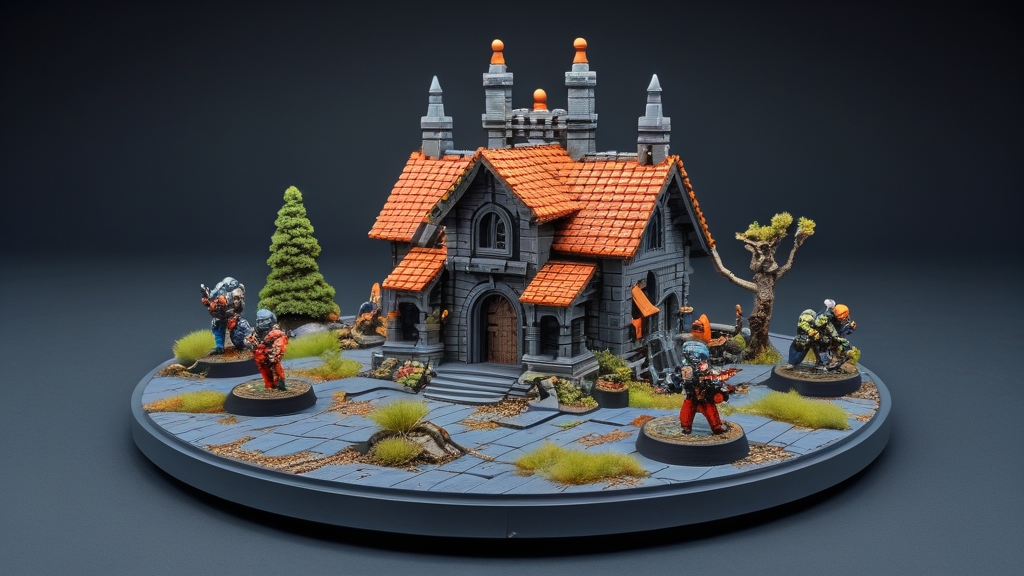
The best resin printers for miniatures right now are the Elegoo Saturn 4 Ultra 16K (best overall), the Elegoo Mars 5 Ultra (best for beginners) and the Anycubic Photon Mono 4 (best budget). Resin printers produce much finer detail than FDM printers for miniatures, with layer lines invisible to the naked eye at standard print settings.
3D printing has transformed the miniature hobby. You can print custom proxies, terrain, conversion bits, and entire armies for a fraction of the retail price. Modern resin printers produce miniatures that are virtually indistinguishable from injection-moulded plastic kits — and often more detailed, since digital sculptors aren’t constrained by mould-making limitations.
This guide compares the top resin printers for miniature printing, covers the essential settings, explains resin types, and addresses the safety and legal considerations every hobbyist should know.
Our Top Picks at a Glance
Our picks are based on manufacturer specs, the Amazon listings and what painters commonly use – we explain the reasoning for each below.
| Product | Screen / XY / build volume | Price | ||
|---|---|---|---|---|
 | Elegoo Saturn 4 Ultra 16K Best Overall | 10″ 16K, 14 × 19 µm, 211 × 118 × 220 mm | $519.99 as of Nov 14, 2026 5:04 PM PST | Buy on Amazon |
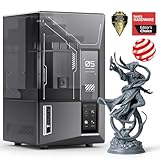 | Elegoo Mars 5 Ultra Best for Beginners | 7″ 9K, 18 µm, 153 × 78 × 165 mm | $299.99 as of Nov 14, 2026 5:04 PM PST | Buy on Amazon |
 | Anycubic Photon Mono 4 Best Budget | 7″ 10K, 17 × 17 µm, 153 × 87 × 165 mm | $189.99 as of Nov 14, 2026 5:04 PM PST | Buy on Amazon |
 | Elegoo Saturn 3 Ultra Best Value Large Format | 10″ 12K, 19 × 24 µm, 219 × 123 × 260 mm | $339.99 as of Nov 14, 2026 5:04 PM PST | Buy on Amazon |
 | Anycubic Photon Mono M7 Pro Best Premium | 10.1″ 14K, 16.8 × 24.8 µm, 223 × 126 × 230 mm | $479.99 as of Nov 14, 2026 5:04 PM PST | Buy on Amazon |
Prices are from Amazon.com (US) at the time shown. Product prices and availability are accurate as of the date/time indicated and are subject to change. Any price and availability information displayed on Amazon.com at the time of purchase will apply to the purchase of this product. As an Amazon Associate, Warhammer Guild earns from qualifying purchases.
The Best Resin 3D Printers for Miniatures (2026)
1. Elegoo Saturn 4 Ultra 16K – Best Overall

Price details
Product prices and availability are accurate as of the date/time indicated and are subject to change. Any price and availability information displayed on Amazon.com at the time of purchase will apply to the purchase of this product.As an Amazon Associate, Warhammer Guild earns from qualifying purchases.
The 16K version of the Saturn 4 Ultra is the best all-round resin printer for miniatures right now. Its 14 × 19 µm pixels resolve faces, script and rivets crisply, and the 10-inch plate fits a full squad or a vehicle in one go.
Best for: Hobbyists who want top detail and room to batch-print whole units.
| Screen | 10″ 16K mono LCD (15120 × 6230 px) |
|---|---|
| XY resolution | 14 × 19 µm |
| Build volume | 8.33 × 4.66 × 8.66 in (approx. 211 × 118 × 220 mm) |
| Speed | Up to 150 mm/h (Elegoo’s figure) |
| Key features | Heated resin tank, tilt release, AI camera, auto-levelling, Wi-Fi |
Why we like it
- 16K screen gives the finest XY detail of any printer here
- Heated vat warms the resin when the room drops below 25°C – a common cause of failed prints in a cold garage or shed
- Tilt release and a mechanical sensor (resin level, foreign objects, levelling) help reduce failures
- AI camera lets you check a long overnight print from your phone
- Superb detail on 28–32mm models
- Large plate for batch printing
- Lots of ‘set and forget’ smart features
- Shorter Z height than the Saturn 3 Ultra
- Larger footprint – needs a dedicated, ventilated spot
- Overkill if you only print the odd character
2. Elegoo Mars 5 Ultra – Best for Beginners
Price details
Product prices and availability are accurate as of the date/time indicated and are subject to change. Any price and availability information displayed on Amazon.com at the time of purchase will apply to the purchase of this product.As an Amazon Associate, Warhammer Guild earns from qualifying purchases.
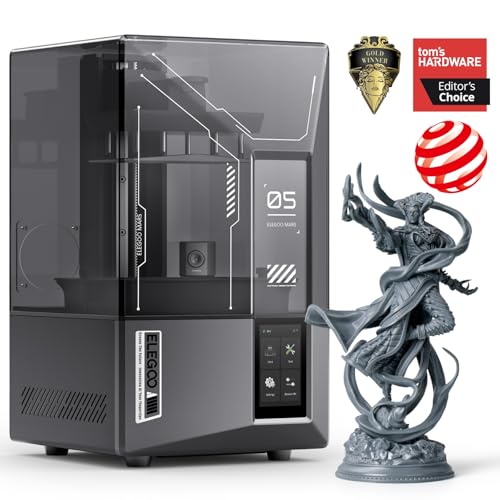
The Mars 5 Ultra packs most of Elegoo’s smart features into a compact printer. At 18 µm per pixel, the detail on a single infantry model is excellent – you trade plate size, not quality.
Best for: First-time resin printers who want an easy, reliable start.
| Screen | 7″ 9K mono LCD |
|---|---|
| XY resolution | 18 µm |
| Build volume | 6.04 × 3.06 × 6.49 in (approx. 153 × 78 × 165 mm) |
| Speed | Up to 150 mm/h, fast and slow modes |
| Key features | Tilt release, AI camera, auto-levelling, Wi-Fi, mechanical sensor |
Why we like it
- Auto-levelling and a start-up self-check take the fiddly set-up out of your first prints
- AI camera warns you about common failures, such as an empty build plate
- Mechanical sensor helps protect the screen from left-over debris in the vat
- Small enough for a desk in a well-ventilated room
- Very beginner-friendly
- Sharp detail for characters and squads
- Same smart features as bigger Elegoo models
- Smaller plate – fewer models per print
- Not suited to large vehicles or terrain in one piece
3. Anycubic Photon Mono 4 – Best Budget

Price details
Product prices and availability are accurate as of the date/time indicated and are subject to change. Any price and availability information displayed on Amazon.com at the time of purchase will apply to the purchase of this product.As an Amazon Associate, Warhammer Guild earns from qualifying purchases.
The Photon Mono 4 is a no-frills printer with a genuinely high-resolution screen. You lose the cameras and auto-levelling of pricier models, but the 17 µm pixels mean your miniatures still come out crisp.
Best for: Trying resin printing for the lowest outlay.
| Screen | 7″ 10K mono LCD (9024 × 5120 px) |
|---|---|
| XY resolution | 17 × 17 µm |
| Build volume | 153.4 × 87 × 165 mm |
| Levelling | Manual 4-point (once) |
| Key features | LighTurbo matrix light, laser-engraved plate, power-loss resume |
Why we like it
- 10K screen with 17 µm pixels – detail on a par with far more expensive printers
- Anycubic’s LighTurbo matrix light is designed for even exposure across the screen
- Simple 4-point levelling: level once, tighten the screws and you are done
- Resumes printing after a power cut, saving resin and time
- Excellent detail for the money
- Slightly wider plate than the Mars 5 Ultra
- Simple, proven design
- No auto-levelling, camera or Wi-Fi
- Anycubic’s app doesn’t support this model
- Slower than tilt-release printers
4. Elegoo Saturn 3 Ultra – Best Value Large Format

Price details
Product prices and availability are accurate as of the date/time indicated and are subject to change. Any price and availability information displayed on Amazon.com at the time of purchase will apply to the purchase of this product.As an Amazon Associate, Warhammer Guild earns from qualifying purchases.
The Saturn 3 Ultra has been overtaken by the Saturn 4 series, but it is still on sale and still a strong large-format printer. Its tall 260mm Z axis is actually greater than the Saturn 4 Ultra’s, which helps with tall monsters and terrain.
Best for: Large prints – vehicles, monsters and terrain – on a budget.
| Screen | 10″ 12K mono LCD (11520 × 5120 px) |
|---|---|
| XY resolution | 19 × 24 µm |
| Build volume | 218.88 × 122.88 × 260 mm |
| Release film | ACF (lower release tension) |
| Key features | Wi-Fi transfer, 4-point levelling, laser-engraved plate |
Why we like it
- Big 10-inch plate for batch printing infantry or one large kit
- Tallest build height on this list
- ACF release film reduces peel forces for faster, more reliable prints
- Wi-Fi file transfer – no USB stick shuffle
- Large volume at a lower price than newer models
- 12K detail is still excellent for miniatures
- Tall Z height
- Manual levelling, no heated vat or camera
- Older generation – fewer smart features
5. Anycubic Photon Mono M7 Pro – Best Premium

Price details
Product prices and availability are accurate as of the date/time indicated and are subject to change. Any price and availability information displayed on Amazon.com at the time of purchase will apply to the purchase of this product.As an Amazon Associate, Warhammer Guild earns from qualifying purchases.
The M7 Pro is Anycubic’s high-end answer to the Saturn 4 Ultra. It has the biggest build volume here, a heated vat, and an automatic resin feeder that tops up the vat and can recycle left-over resin.
Best for: Heavy users who want speed, automation and a big plate.
| Screen | 10.1″ 14K mono LCD (13312 × 5120 px) |
|---|---|
| XY resolution | 16.8 × 24.8 µm |
| Build volume | 8.77 × 4.96 × 9.05 in (approx. 223 × 126 × 230 mm) |
| Speed | Up to 170 mm/h with high-speed resin; 130 mm/h with standard resin (Anycubic’s figures) |
| Key features | Heated vat, automatic resin fill, six types of smart detection |
Why we like it
- Largest build volume on this list for big batches
- Automatic resin fill cuts down on mid-print top-ups and messy pouring
- Heated vat keeps resin at a steady temperature
- Anycubic says it can print holes as small as 0.3mm across
- Very fast with Anycubic’s high-speed resin
- Lots of automation and failure detection
- Big, tall plate
- The most expensive printer here
- Slightly coarser XY pixels than the Saturn 4 Ultra 16K
- Large and heavy
How to Choose a Resin Printer for Miniatures
XY resolution matters more than the “K” number. The “K” figure describes the screen’s pixel count, but what shows on a model is the size of each pixel. Anything around 20 µm or below is excellent for 28–32mm miniatures, and every printer on this list meets that.
Plate size decides how much you print at once. A 7-inch printer (Mars 5 Ultra, Photon Mono 4) is ideal for characters and squads. A 10-inch printer (Saturn series, M7 Pro) lets you batch a whole unit or print vehicles and monsters in fewer pieces.
Smart features reduce failures. Auto-levelling, tilt release and heated vats are not essential, but they remove the most common beginner headaches – especially if you print in a cold room.
Budget for the extras. A resin printer is not a complete setup on its own. You will also need resin, isopropyl alcohol (IPA) or water-washable resin, and a way to wash and cure prints – a wash-and-cure station such as the Elegoo Mercury Plus or Anycubic Wash & Cure makes this much easier. Just as important is safety gear: nitrile gloves, safety glasses, and good ventilation (ideally a room you can air out or a vented enclosure). We cover all of this below.
Older favourites. Printers such as the Elegoo Mars 4 and Phrozen Sonic Mini 8K S have been replaced or are hard to find new on Amazon at the moment, so we have left them out. Phrozen still makes excellent high-resolution printers – check its current Sonic range if you prefer the brand.
Should You Use Resin or FDM for Printing Miniatures?
Resin (MSLA/LCD) printers are far superior to FDM printers for miniatures. The difference isn’t subtle — it’s the difference between a sharp, detailed model and a visibly layered, blobby approximation.
Resin printers use a UV LCD screen to cure liquid resin layer by layer. Each layer is 0.03-0.05mm thick — invisible to the naked eye. This produces sharp detail: facial features, text, rivets, cloth texture, and fine edges all print cleanly. Even entry-level resin printers now produce professional-quality results.
FDM printers extrude molten filament in layers typically 0.1-0.2mm thick. Even at the finest settings, layer lines are visible on miniature-scale models. FDM is excellent for terrain, large display pieces, and functional parts, but it cannot match resin for 28-32mm miniature detail.
Bottom line: If you’re printing miniatures, buy a resin printer. If you’re printing terrain and storage solutions, FDM is fine. Many hobbyists own both — resin for minis, FDM for terrain.
What Print Settings Should You Use for Miniatures?
Correct print settings are as important as the printer itself. Here are the recommended settings for miniature printing.
Layer height: 0.03-0.05mm for miniatures. 0.03mm produces the finest detail (ideal for faces and fine textures) but takes longer. 0.05mm is an excellent balance of speed and quality — layer lines are still invisible on 28mm models. Use 0.05mm for batch printing and 0.03mm for display pieces.
Exposure time: Varies by resin and printer. Start with the resin manufacturer’s recommended settings and adjust. Under-exposure causes soft detail and failed prints. Over-exposure causes bloated features and filled-in detail. Run an exposure test (like the Cones of Calibration or RERF test) when using a new resin.
Bottom exposure: 25-40 seconds for the first 4-6 layers (adhesion layers). These thick first layers stick the print firmly to the build plate. Too little bottom exposure causes prints to detach during printing.
Lift speed and height: Slower lift speeds (1-2mm/s) reduce peel force and improve success rates. 5-8mm lift height is standard. Newer printers with tilting release can use faster speeds. For heavy prints with large cross-sections, reduce lift speed further to prevent suction failures.
Orientation and supports: Angle miniatures 30-45 degrees on the build plate and add auto-generated supports (then manually add extras where needed). Angling reduces suction force per layer and improves detail quality. Support contact points should be on hidden surfaces (underside of bases, inside of cloaks, back of legs).
Which Resin Should You Use for Miniatures?
Resin choice affects detail quality, durability, and safety. Here are the main types relevant to miniature printing.
Standard grey/beige resin: The default choice. Elegoo Standard Grey, Anycubic Basic Grey, and Siraya Tech Fast Grey are all excellent. Grey resin shows detail clearly for inspection and photographs well. It’s affordable and easy to print with.
ABS-like resin: Slightly more flexible than standard resin, so models are less likely to snap if dropped. Elegoo ABS-Like and Siraya Tech Fast are popular. Good for gaming miniatures that will be handled frequently.
Water-washable resin: Can be cleaned with water instead of isopropyl alcohol. Convenient and reduces chemical exposure, but typically slightly softer and more brittle than standard resin. Good for beginners concerned about handling IPA.
Plant-based / eco resin: Made with plant-derived materials, producing less odour and using less petroleum. Elegoo Plant-Based and Anycubic Plant-Based are available. Print quality is comparable to standard resin. Worth considering if odour is a major concern.
How Do You Post-Process 3D-Printed Miniatures?
Post-processing turns raw prints into paint-ready miniatures. Every resin print needs these steps.
Cleaning: Wash the print in 95%+ isopropyl alcohol (IPA) or water (for water-washable resin) for 2-3 minutes. Use a wash-and-cure station (Elegoo Mercury Plus, Anycubic Wash & Cure) or a container with IPA and gentle agitation. Remove all uncured resin — residue left on the surface will remain tacky and prevent paint adhesion.
Curing: Post-cure the cleaned print under UV light for 5-15 minutes. This fully hardens the resin and eliminates surface tackiness. A dedicated curing station with a turntable produces the most even cure. Sunlight also works but is less consistent. Under-cured prints remain slightly soft and may warp over time.
Support removal: Remove support structures with flush cutters (sprue cutters work perfectly). Clean up support marks with a hobby knife or fine sandpaper (800-1000 grit). For hard-to-reach support marks, a small file or sanding stick works well.
Priming: Resin prints accept primer well. Spray primer (Citadel, Army Painter) or airbrush primer (Vallejo, Badger Stynylrez) adheres to cured resin without issues. A thin coat of primer also reveals any surface defects you might have missed. For tips on priming technique, see our airbrush tutorial.
What Safety Precautions Do You Need for Resin Printing?
Uncured resin is a skin sensitiser and irritant. Take these precautions seriously to avoid health issues.
Nitrile gloves: Always wear nitrile gloves when handling uncured resin, resin vats, build plates, and fresh prints. Resin exposure can cause contact dermatitis and allergic sensitisation — once sensitised, you may react to even trace amounts permanently.
Ventilation: Resin produces fumes, especially during printing. Run the printer in a well-ventilated space — a garage, shed, or room with an open window and fan. Many modern printers have carbon filters, but these reduce odour rather than eliminate all volatile compounds.
Eye protection: Wear safety glasses when pouring resin or handling the vat. Resin splashes in the eyes require immediate irrigation and medical attention.
Disposal: Never pour resin down the drain. Cure waste resin under UV light (sunlight works) until solid, then dispose of it in regular waste. Used IPA containing dissolved resin should be left in sunlight until the resin precipitates, then the IPA can be filtered and reused.
What Are the Legal Considerations for 3D-Printing Warhammer Models?
Games Workshop’s intellectual property covers their specific model designs, names, and trademarks. Understanding the boundaries is important for any hobbyist printing miniatures. For a deeper look, see our guide to whether 3D printing Warhammer is legal.
Printing for personal use: Printing miniatures for your own use from files you’ve purchased or sculpted yourself exists in a legal grey area. GW has not taken action against individual hobbyists printing for personal use, but their IP rights technically cover reproductions of their designs.
Printing others’ IP: Scanning and replicating GW models (recasting) is clearly copyright infringement regardless of method. Don’t do it.
Third-party STL files: Many sculptors sell STL files designed as “compatible” proxies — models that fit the same bases and aesthetic but aren’t copies of GW designs. These are legal to purchase and print. Patreon services like One Page Rules, Ghamak, and Station Forge offer extensive miniature ranges specifically designed as proxies.
Tournament play: GW-official tournaments (Grand Tournaments, Warhammer Open) require official GW models. Independent tournaments vary — check the tournament pack. Many casual events and gaming clubs are fine with printed proxies as long as they’re clearly identifiable as the intended unit.
Frequently Asked Questions
How much does it cost to 3D print a Warhammer army?
Far less than buying retail kits. A litre of standard resin prints a large number of 28mm infantry models, and even vehicles use only a modest amount. Add the cost of STL files (bought as one-off sets or through a monthly Patreon subscription) plus IPA, gloves and paper towels, and material costs for a whole army are a fraction of the retail price. The printer itself – and a wash-and-cure station – is the main investment.
Do 3D-printed miniatures paint as well as plastic?
Yes. Properly cured and primed resin prints accept paint identically to injection-moulded plastic. The surface is slightly different in texture (smoother than push-fit plastic, with no mould lines) but primer, acrylics, Contrast paints, and washes all work normally. The only exception is uncured or under-cured resin, which can remain tacky and reject paint.
How long does it take to print a unit of miniatures?
A unit of 10 infantry at 0.05mm layer height takes approximately 2-4 hours depending on model height, printer speed, and settings. A single character model takes 1-2 hours. A vehicle takes 4-8 hours. Modern tilt-release printers (like the Saturn 4 Ultra, which Elegoo rates at up to 150mm/h) are significantly faster than older models. You can leave prints running overnight and have them ready by morning.
What slicer software should you use?
Lychee Slicer (by Mango3D) and ChiTuBox are the two most popular slicers for resin miniature printing. Lychee has better automatic support generation for complex miniature geometry. ChiTuBox is free and compatible with almost every printer. Most experienced printers use Lychee for supports and either slicer for final slicing. UVtools is a free companion app for analysing and fixing sliced files.
Is a wash and cure station necessary?
Not strictly necessary but highly recommended. You can wash prints in a container of IPA with manual agitation and cure them in sunlight. However, a dedicated station (such as the Elegoo Mercury Plus or Anycubic Wash & Cure) automates both processes, produces more consistent results, and contains the mess. Given that you’ll use it for every single print, it’s a worthwhile quality-of-life investment.
What is the best cheap resin printer for miniatures?
Of the printers in this guide, the Anycubic Photon Mono 4 is the best budget pick. It skips auto-levelling, cameras and Wi-Fi, but its 10K screen has 17 µm pixels, which is fine enough for crisp 28–32mm miniatures. The trade-offs are manual levelling and slower printing than tilt-release machines, so it suits someone trying resin printing for the lowest outlay.
Is a 16K printer worth it for 28mm miniatures?
Only if you want the very finest detail. What shows on a model is pixel size, not the K number, and anything around 20 µm or below already looks excellent at 28–32mm. A 16K machine like the Saturn 4 Ultra 16K does sharpen faces and fine script, but a 9K–12K printer will satisfy most tabletop painters, and plate size often matters more.
Related Content
- How to Start a Warhammer Collection — Ultimate Beginner Guide — guide to starting your Warhammer collection
- Best Warhammer Board Games — Ranked & Reviewed — related product review
- How to Play Warhammer 40k — Complete Beginner’s Guide — beginner guide to Warhammer 40K
- Best Magnets for Miniatures — Sizes & Guide — related content on a similar topic